Describe your injuries and your goals. Axia builds the program and runs it with you.
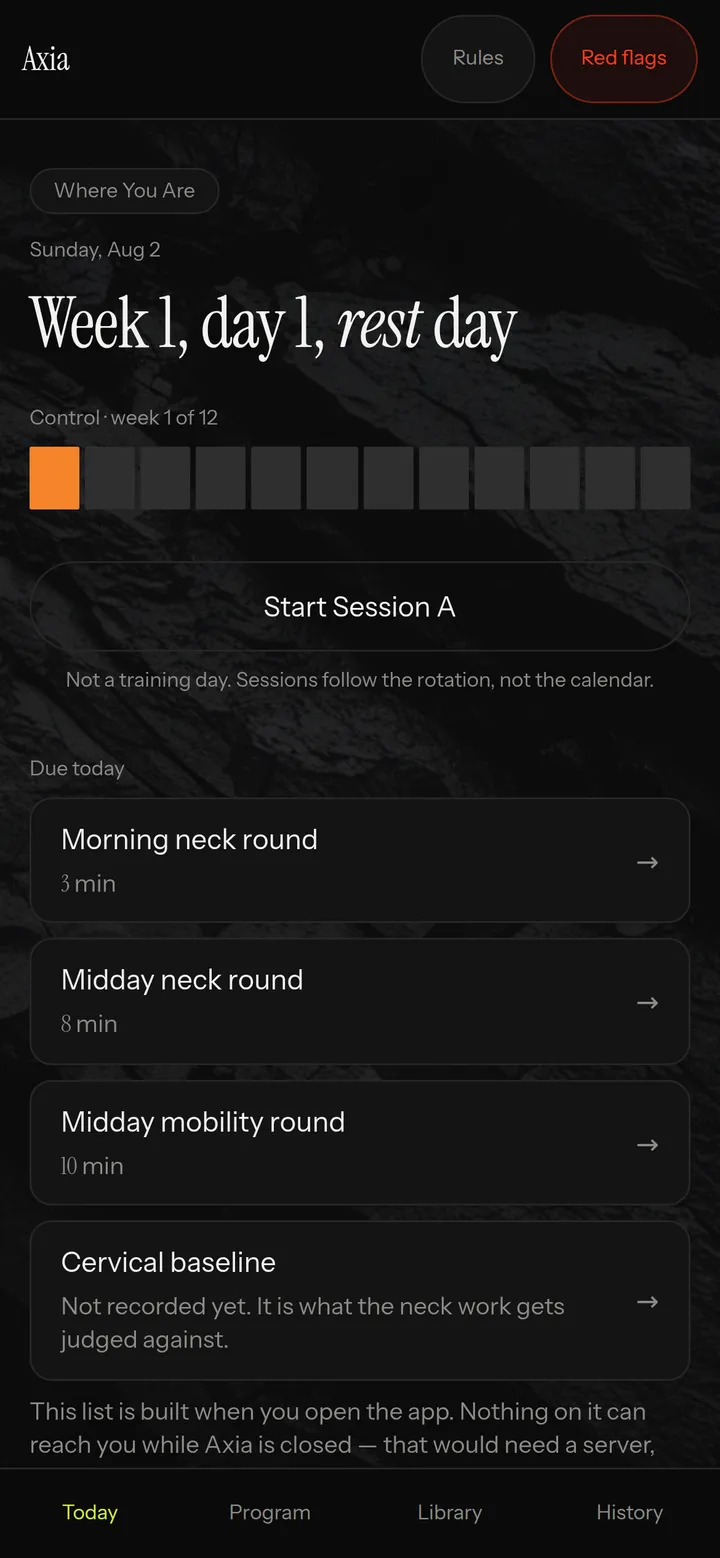
An actual screen, not a mockup. The session, the sets, last time’s weights already loaded.
Axia starts with what hurts, then writes those limits into every session.
Step 1
“Squats hurt my knee. Desk job. I want to build muscle.” That is a complete brief.
Step 2
Phased, gated on criteria, drawn from a library of movements humans wrote.
Step 3
Every set arrives filled in with what you lifted last time. One tap to log.
You advance by meeting the criterion, not by the calendar.
First
Cuff work first, every session. The floor sets the depth for you.
Then
Weight arrives. The depth limits stay where they are.
When you clear it
Opens when you clear the checklist.
That example is a shoulder. The shape is the same for any limitation.
The session adjusts when your day does.
A real clock, running with the screen locked and the phone in your pocket.
The weight holds on that movement for the next two sessions.
Short on time and the session reshapes to fit, with the warm up tier kept in.
Reception drops in the basement and the session keeps running.
Placed by time of day, around the lifting. Never nagged about.
Working weights, measurable range, progress photos.
Six decisions, built into every session.
A fixed set a human wrote, enforced in code after the model answers.
You read the constraint before the movement, every time.
Two sessions, minimum, before that lift moves again.
Tell it you have thirty minutes and the session rebuilds around that tier.
Phases, weights and session length arrive as prompts. It suggests, you decide.
Ask for something it cannot build well and it tells you, plainly.
Same color, same place, on every movement that has one. That red appears nowhere else in the app.
Constraints
Your elbow never travels behind the plane of your torso while your arm is abducted. Not in a bench press, not in a flye, not in a stretch, not in a row.
It tells you what happened and what to do next.
What it says
“You flagged this recently — hold the weight.”
And what it says next
“Ready to add Tier 2? Adds about 12 minutes.”
Opening to a small group. One email when it opens, nothing after.
The full plan — runner, logging, progression — comes from the app. It opens to a small group.
An intake conversation. Nothing said here is a medical opinion.
 Axia
Axia